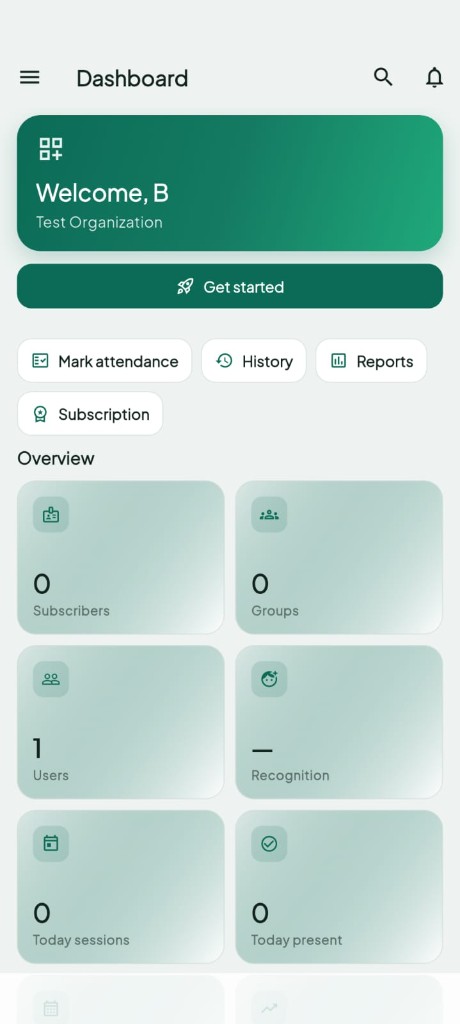
Mobile App Solution
Capture the whole classroom on a phone, submit to our AI server, and get attendance marked in about 5–8 seconds. Built for schools, coaching centers, colleges, and events — no IP cameras required.
5–8s
Typical recognition time
1 shot
Photo or short classroom clip
CSV/PDF
Exportable session reports
Capabilities
From enrollment to monthly reports — designed for teachers and coordinators who need attendance done fast.
Snap a full classroom photo or record a short clip so everyone faces the camera, then submit for recognition.
Our AI server matches faces to enrolled students and returns present / unknown results within seconds.
Organize by class, section, batch, or event. Enroll each student once with a clear front-face photo.
Step-by-step onboarding: create your organization, add staff, enroll students, and mark your first session.
Filter by group, date, and session. Preview in-app and download CSV or PDF for admin and parents.
Admins, teachers, and coordinators get the right access to attendance, reports, and student management.
Workflow
Create groups, add teachers, and enroll students with face photos.
Select the class or batch in the app and point the phone at everyone present.
Submit the photo or short clip. AI matches faces and marks attendance in 5–8 seconds.
Confirm matches, handle unknowns if needed, save the session, and export reports anytime.
Use Cases
Choose the mobile app when you want AI attendance without installing classroom cameras — or when staff move between rooms and events.
Schools & colleges
Teachers mark daily attendance in each period with a single classroom capture.
Coaching & training centers
Track batches across subjects and export monthly presence for parents and management.
Events & workshops
Create an event group and capture attendance for all attendees in one go.
No hardware lock-in — runs on standard Android phones your staff already carry.
Fast rollout — enroll faces, install the app, and start marking the same week.
Privacy-conscious — face data stays within your organization with role-based access.
Scales with you — add subscribers and groups as your institute or event calendar grows.
Prefer always-on classroom cameras instead?
Explore IP Camera AttendanceFAQ
A teacher opens the Bitbull Android app, selects the class or group, captures a full classroom photo or short clip, and submits it to the AI server. Faces are matched to enrolled students and attendance is marked in about 5–8 seconds.
No. Face Attendance by Mobile App works on standard Android phones. No classroom IP cameras are required.
Typical recognition and attendance marking takes about 5–8 seconds after the classroom photo or short video is submitted.
It is designed for schools, coaching and training centers, colleges, and event organizers that want AI attendance without installing hardware.
Share your class size and use case with Bitbull. We will walk you through the app workflow and arrange a live demo.